Screenshots
Get a visual overview of Cleanuparr's interface and features.
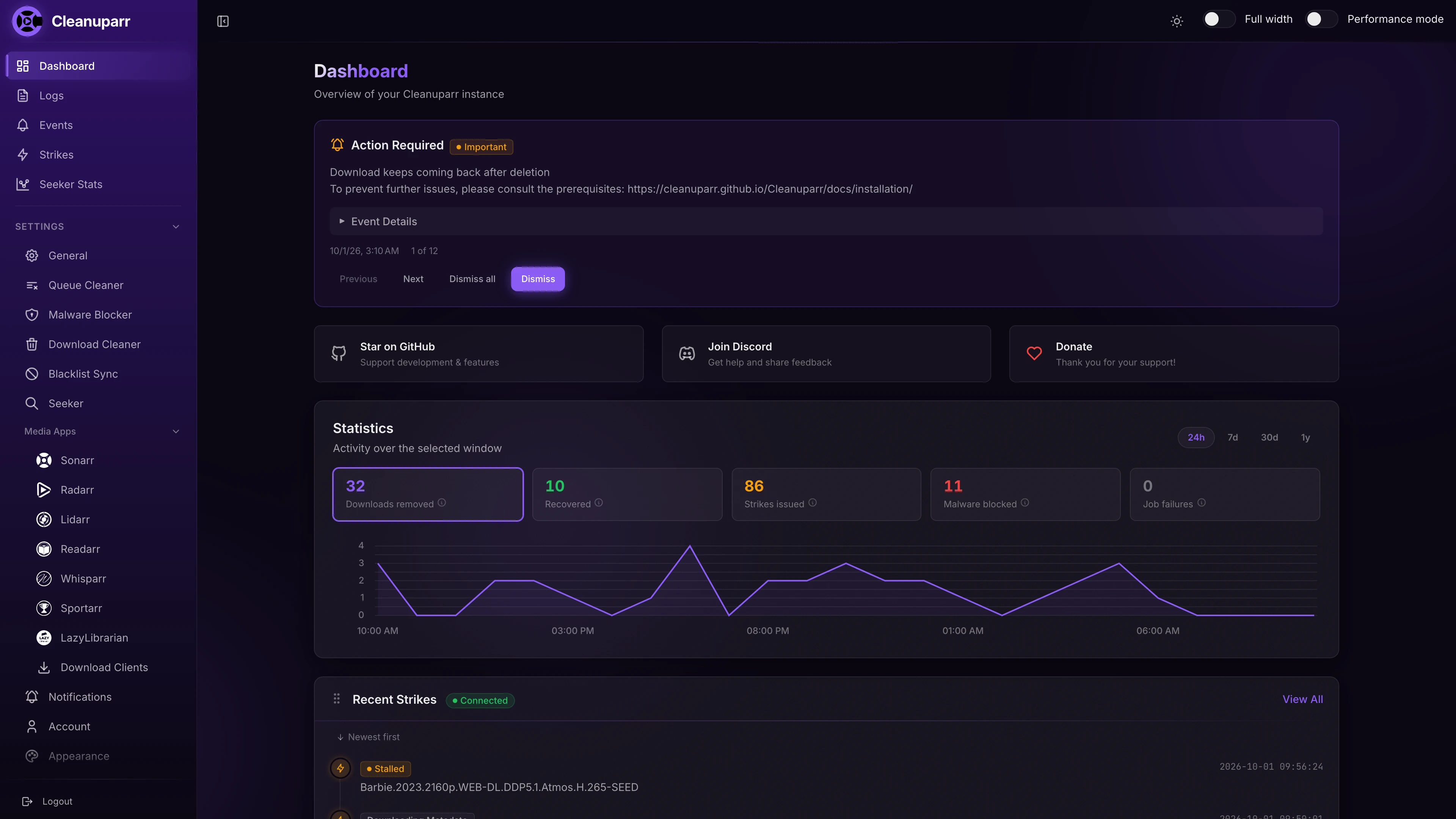
Dashboard Overview
The main dashboard shows items that need manual intervention and activity statistics over the last day, week, month or year.
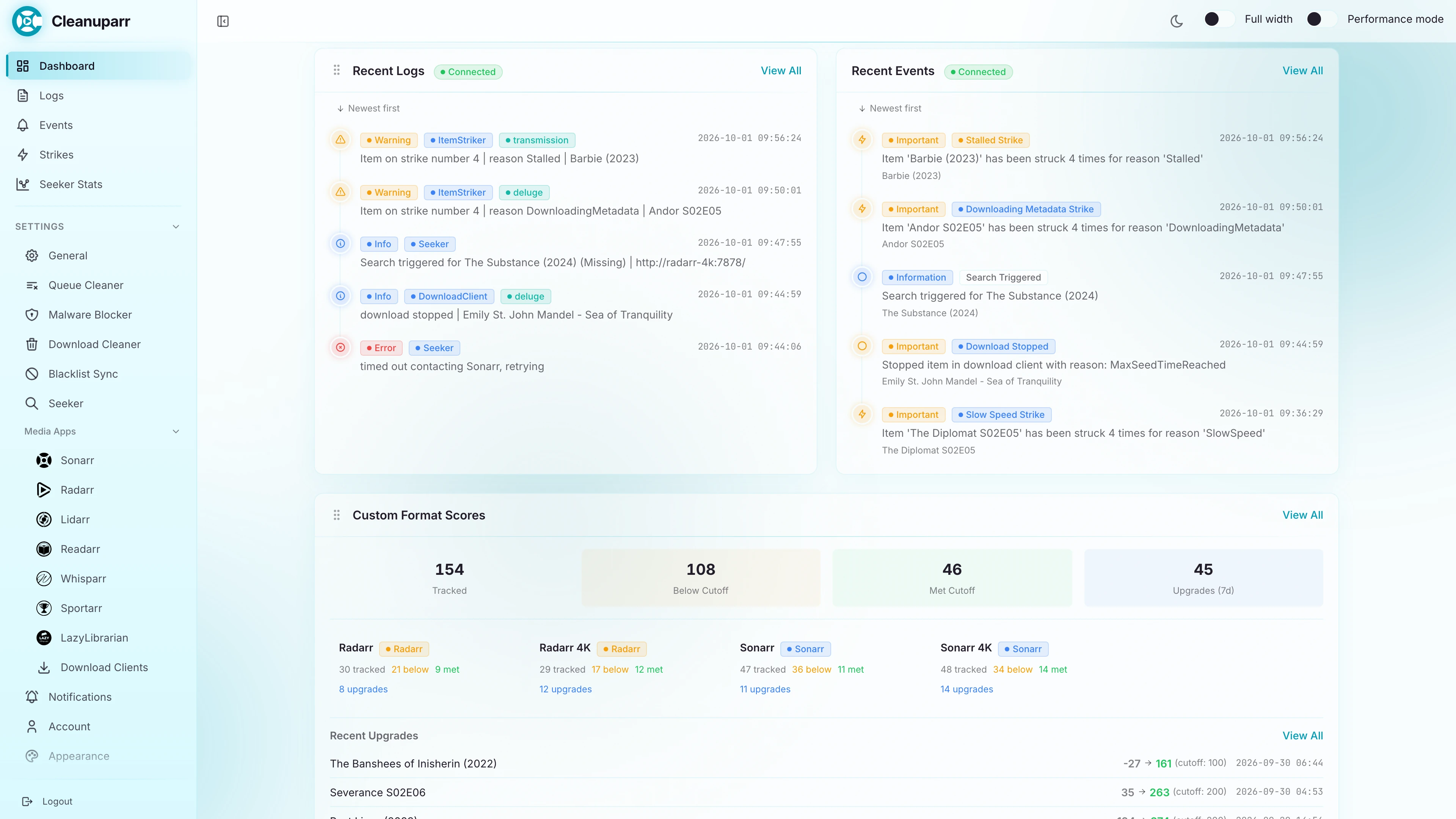
Dashboard - Recent activity
Live widgets show the latest logs, events and strikes, alongside custom format score progress and recent upgrades.
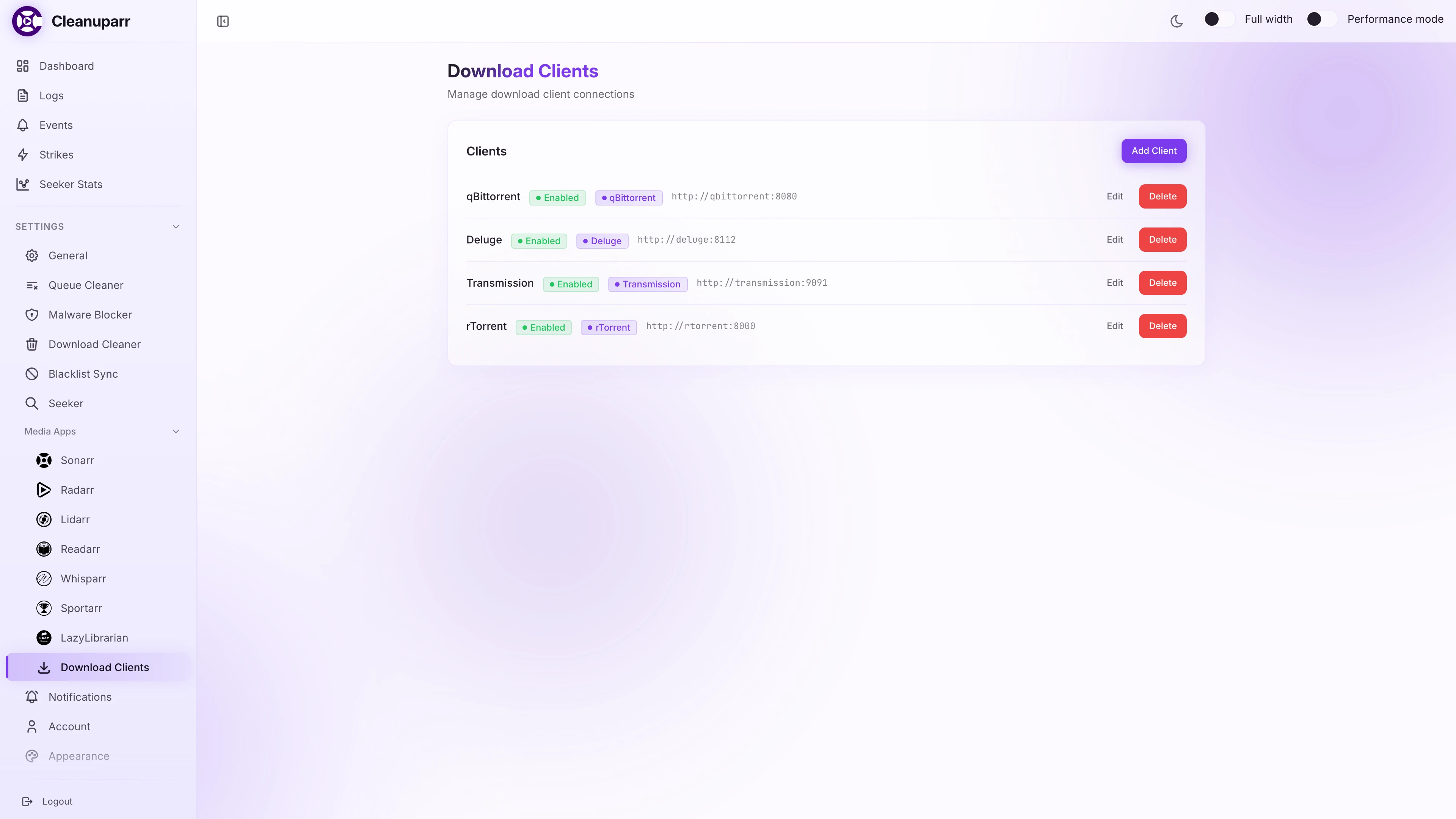
Download Clients
Configure and manage connections to your download clients.
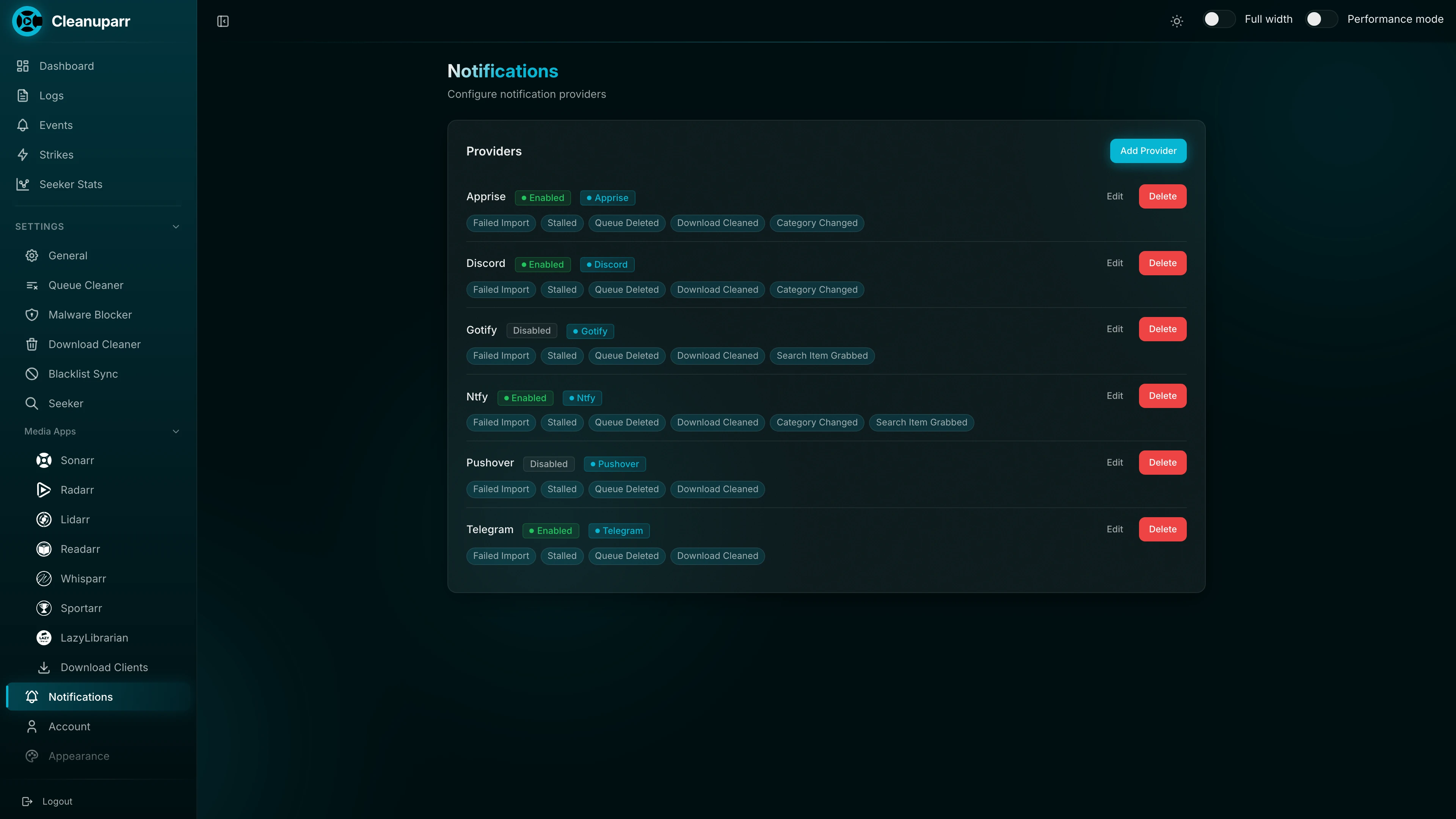
Notifications
Set up notification providers like Apprise, Notifiarr, and Ntfy to stay informed about actions taken by Cleanuparr.
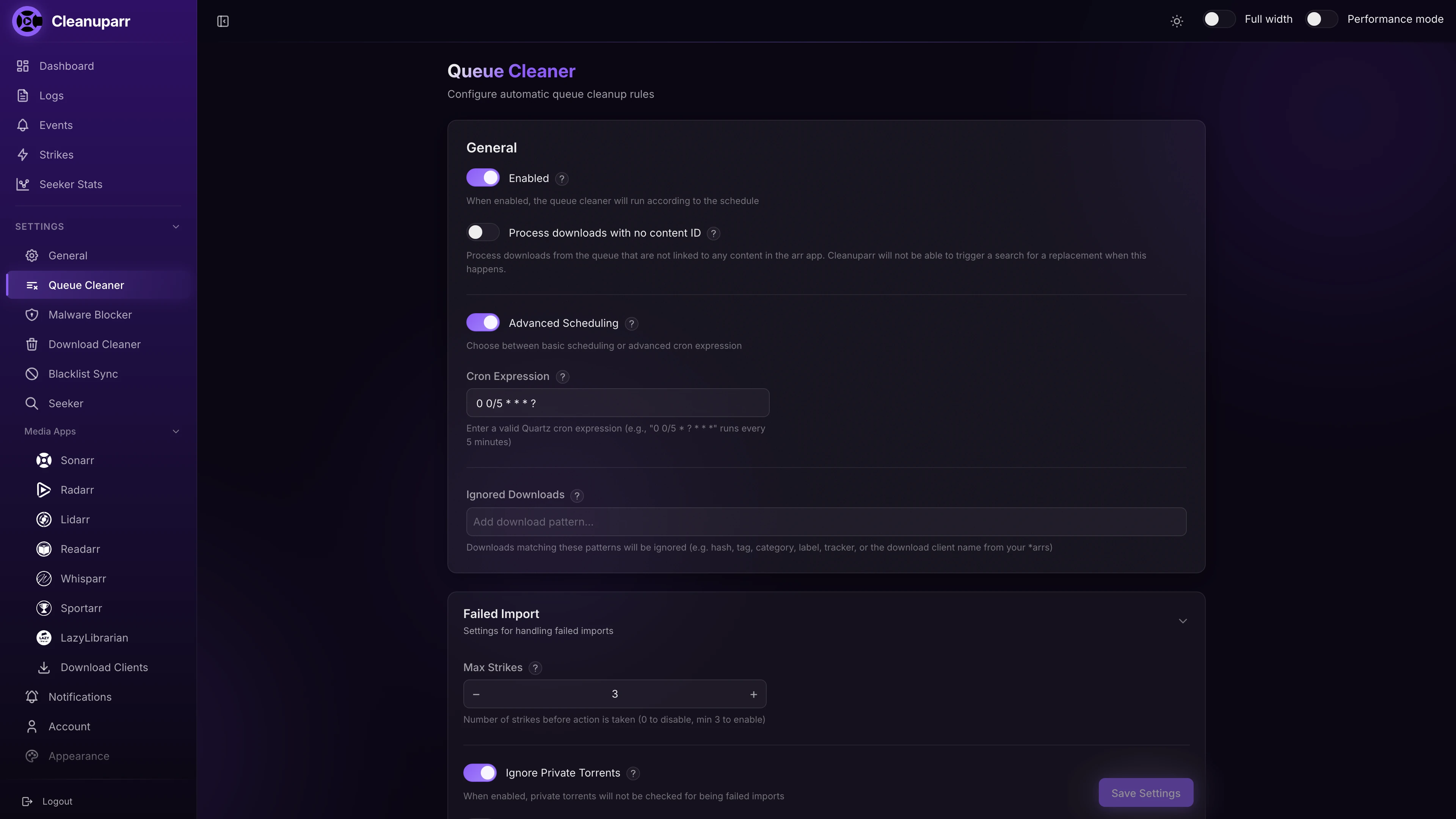
Queue Cleaner
Configure how stalled, slow and failed imports get struck and removed from your arr queues.
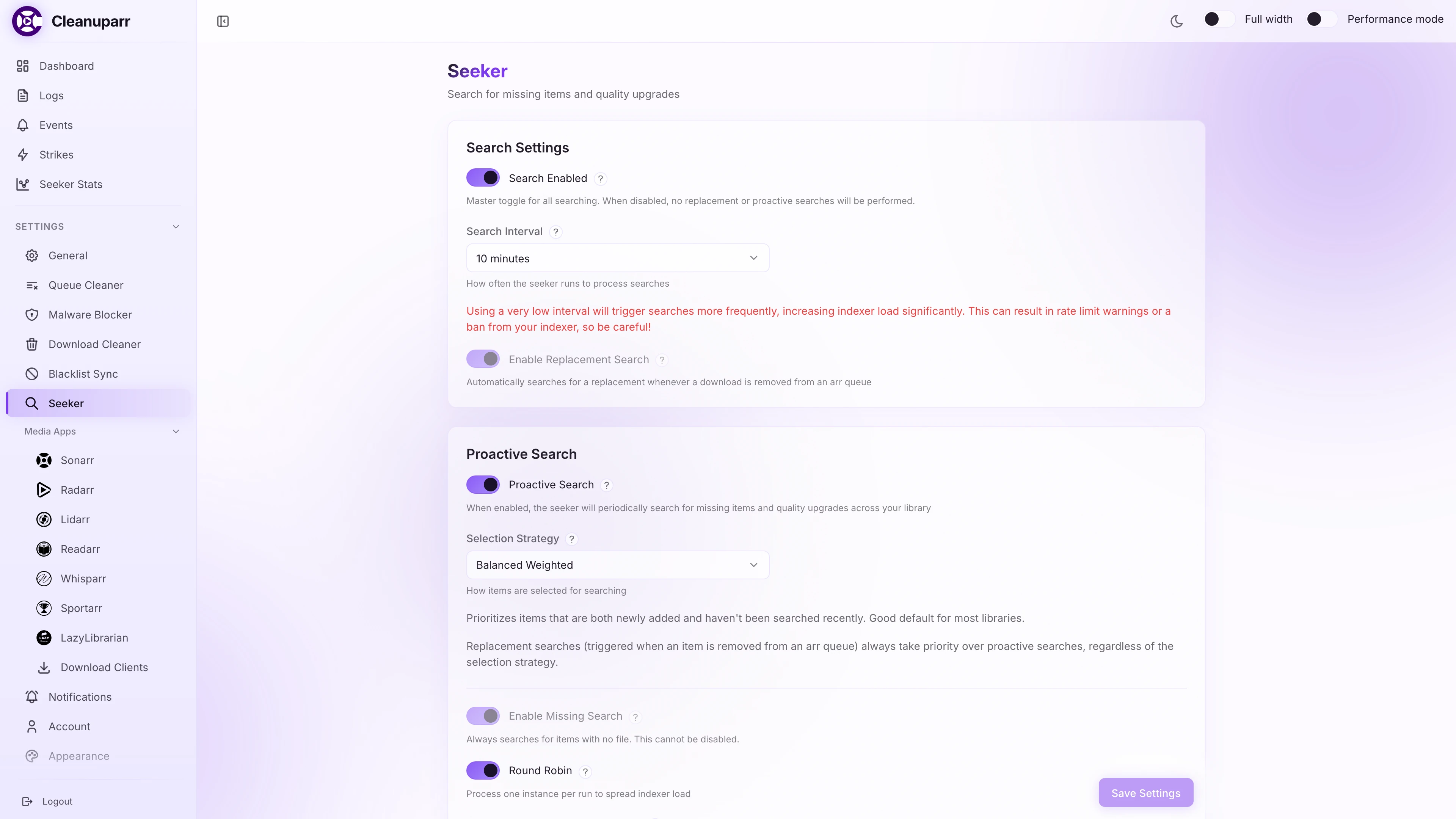
Seeker
Configure replacement searches and proactive searches for missing items and quality upgrades.
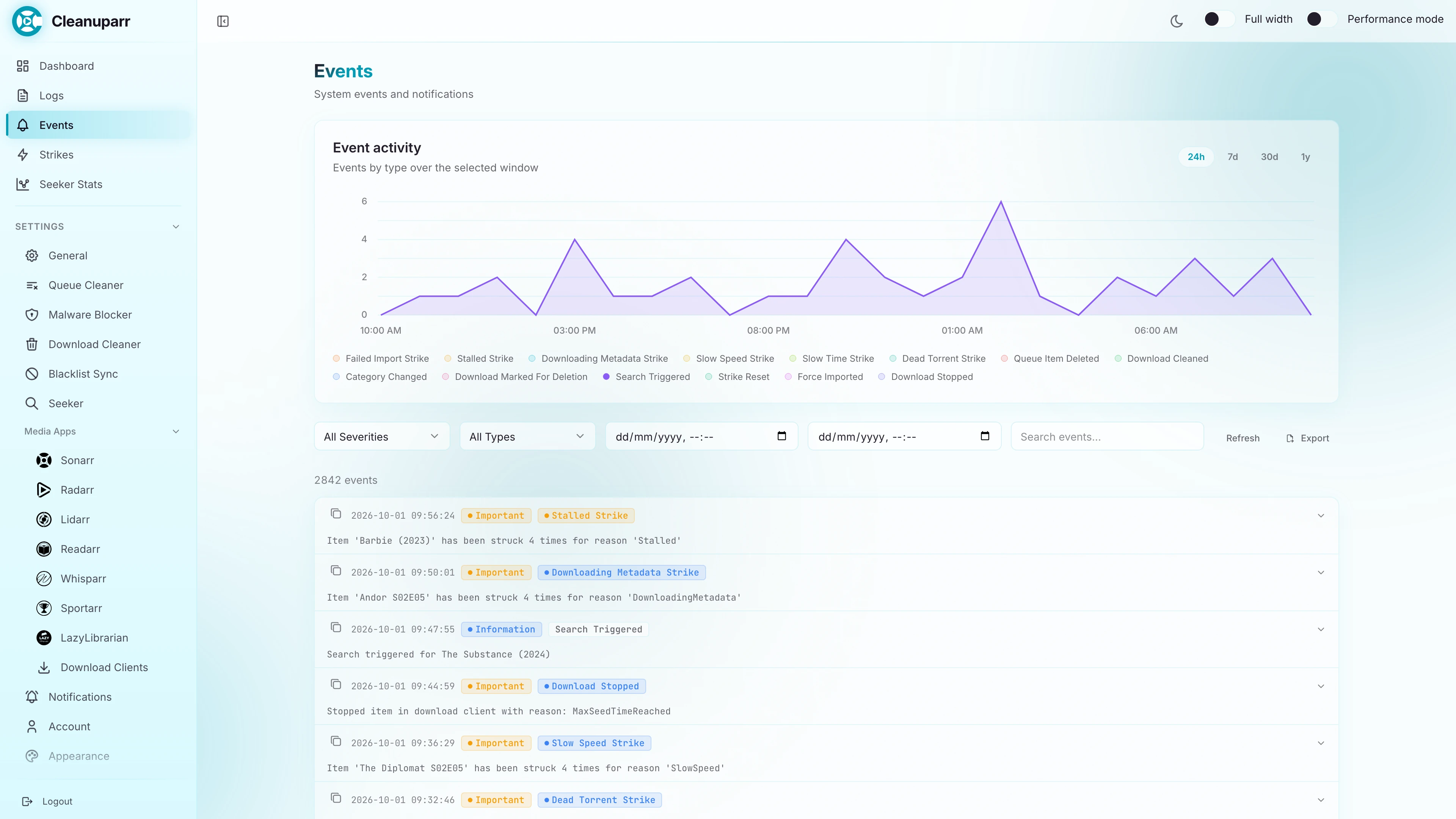
Events & Activity
Track all actions taken by Cleanuparr including strikes issued, downloads removed, and searches triggered. Filter by event type, job, or time period to understand what happened and when.
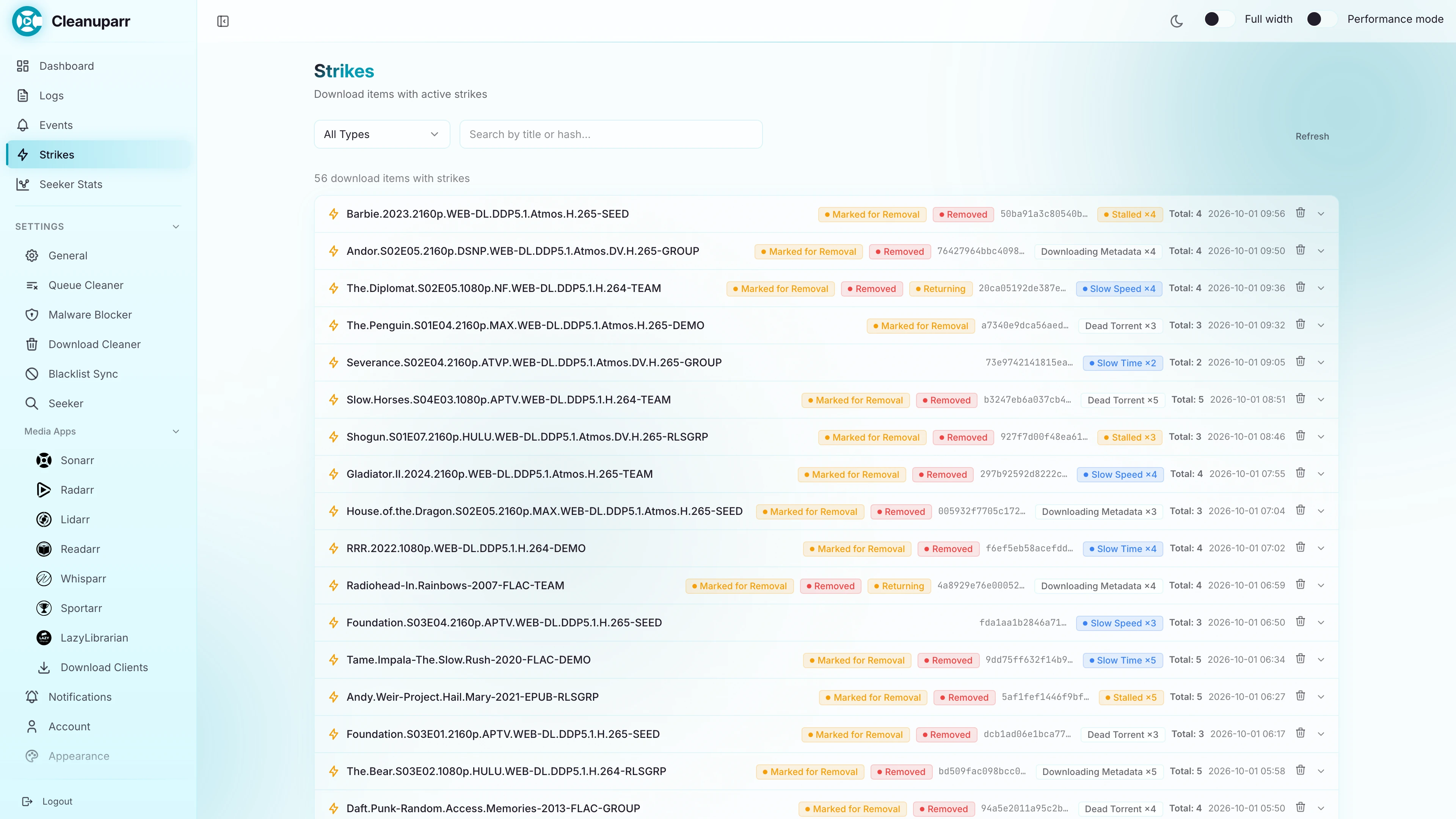
Strikes
See every download with active strikes, the strike types it collected and whether it was removed.
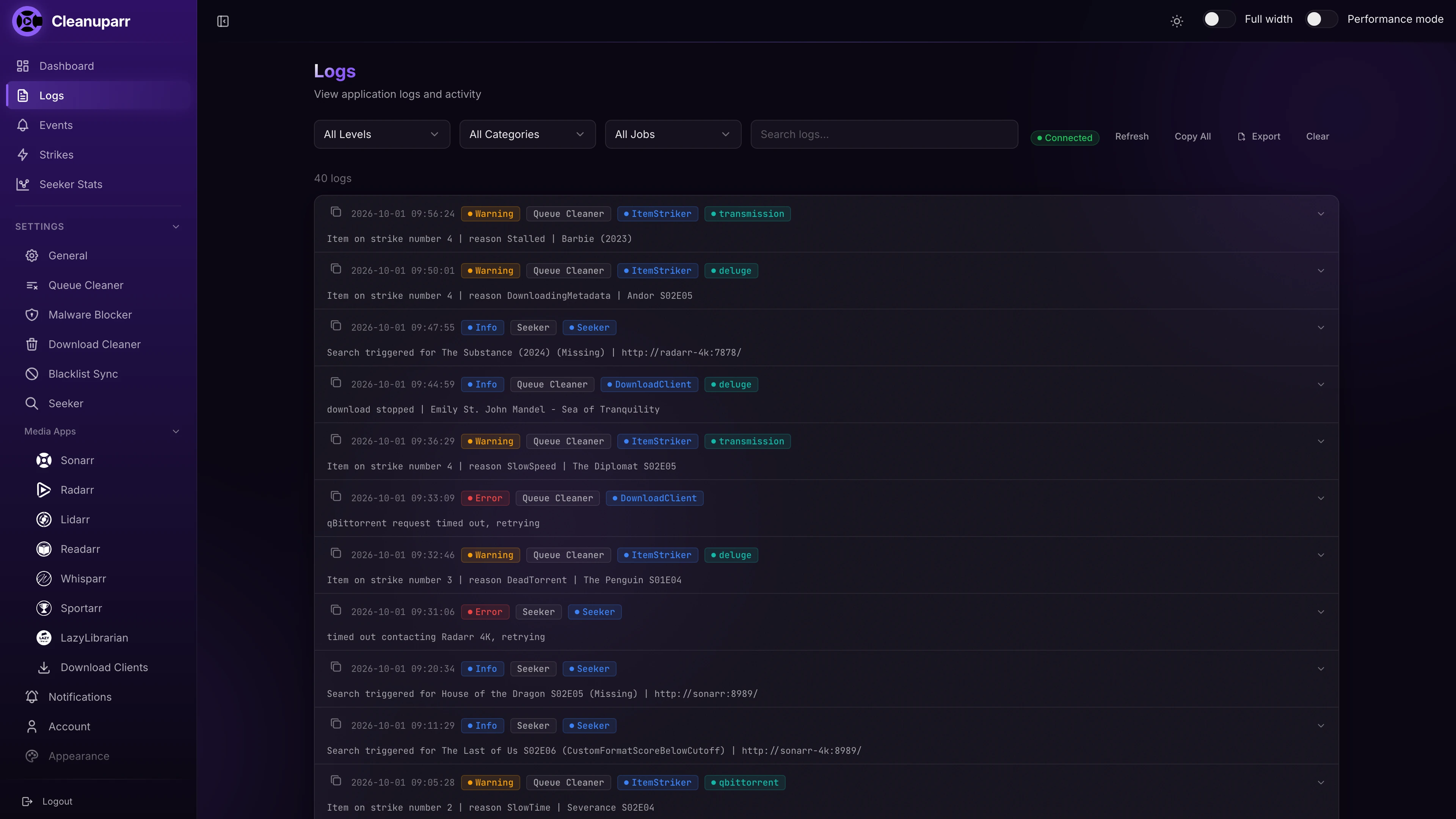
Logs Viewer
Access live application logs directly from the web interface (the server keeps the latest 100 entries, and an open page collects up to 1000). Filter by log level, search for specific messages, and troubleshoot issues without accessing the server console.
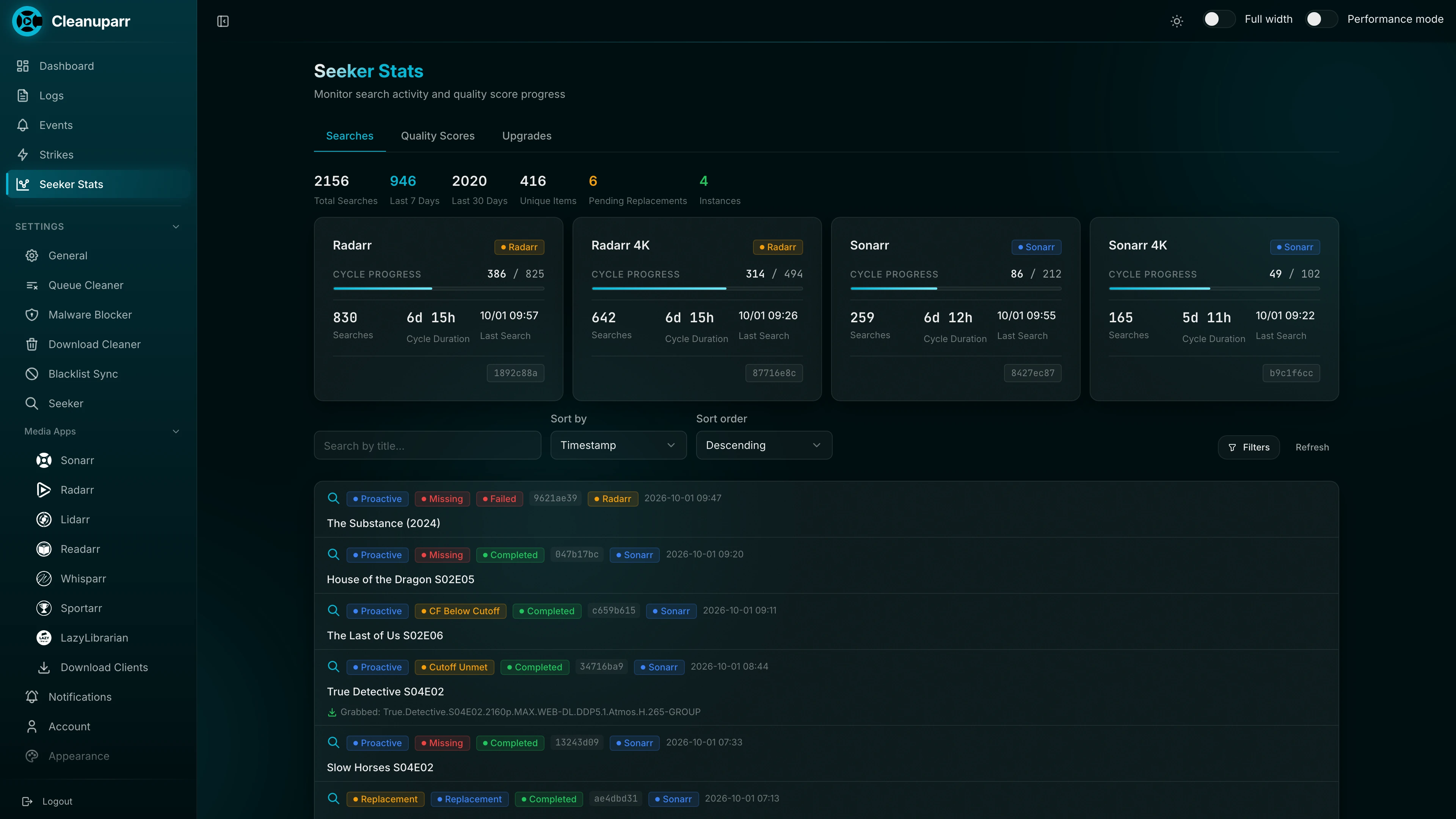
Seeker stats - Searches
Monitor all searches triggered by the Seeker, including which items were searched for and when.
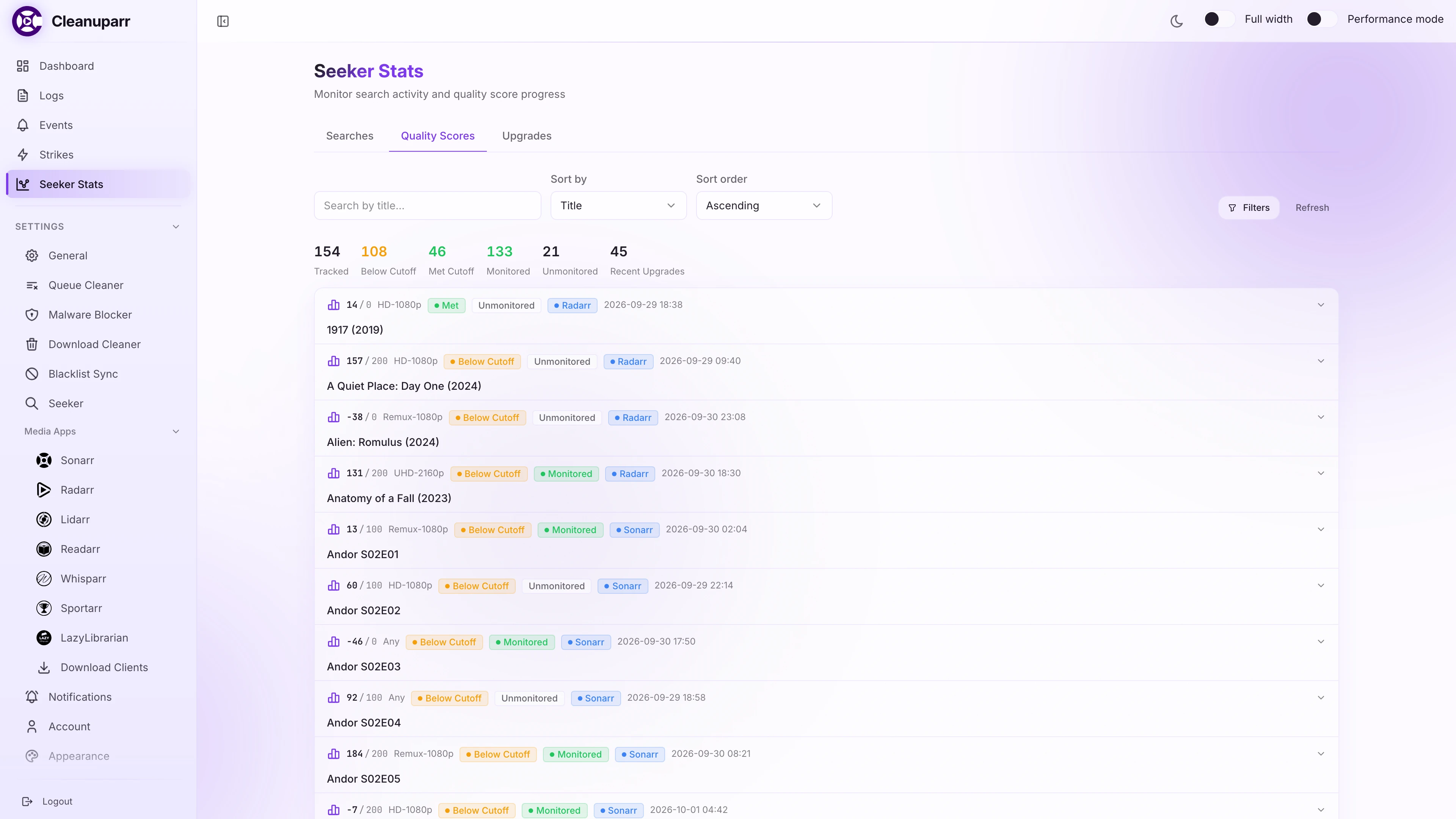
Seeker stats - Quality Scores
View custom format score distributions across your library. See how your items score against your configured quality profiles to identify potential upgrade candidates.
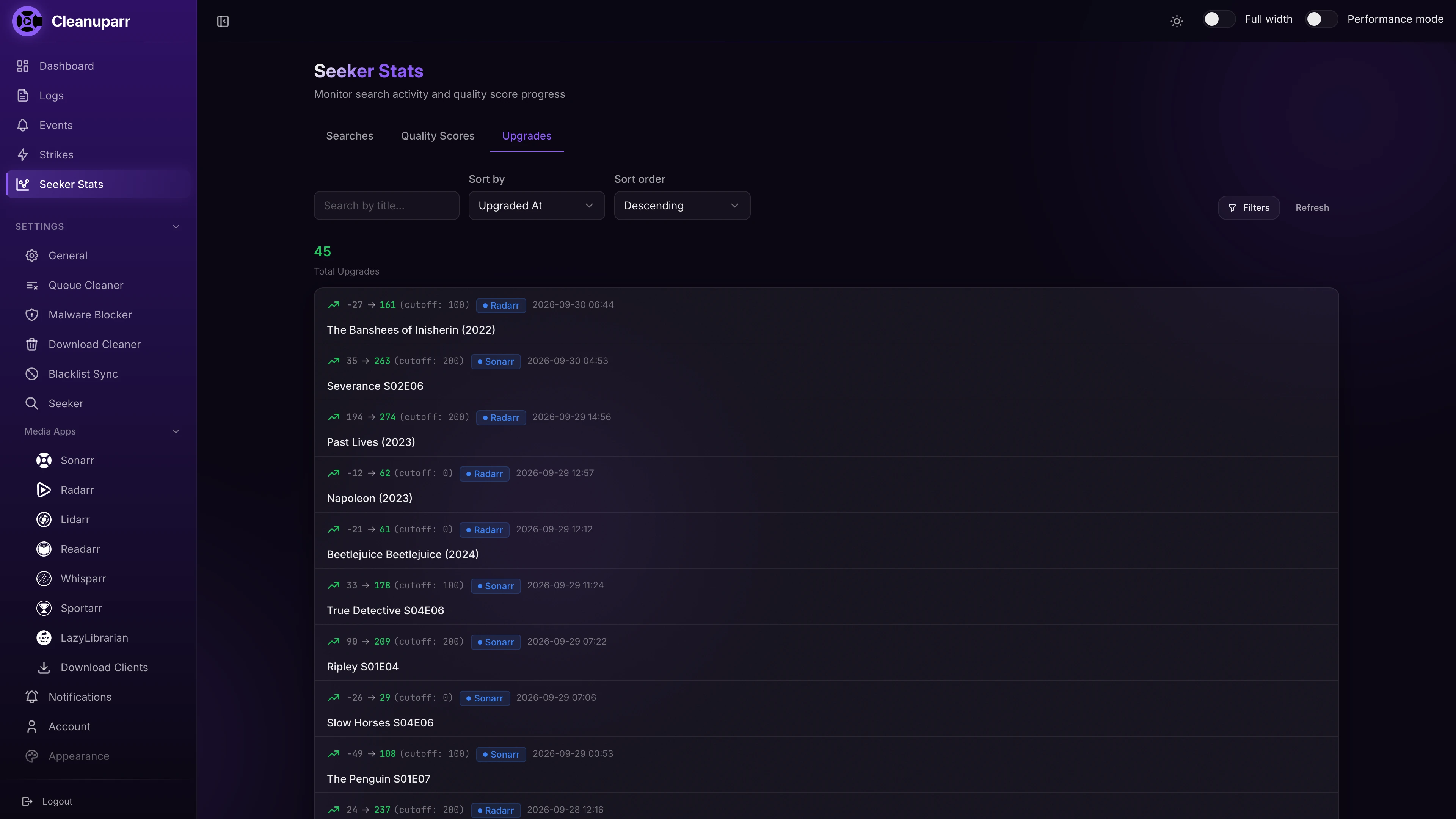
Seeker stats - Upgrades
Track custom format upgrades over time, showing which items were upgraded and the score improvements achieved. Helps you gauge how effectively the Seeker is improving your library quality.
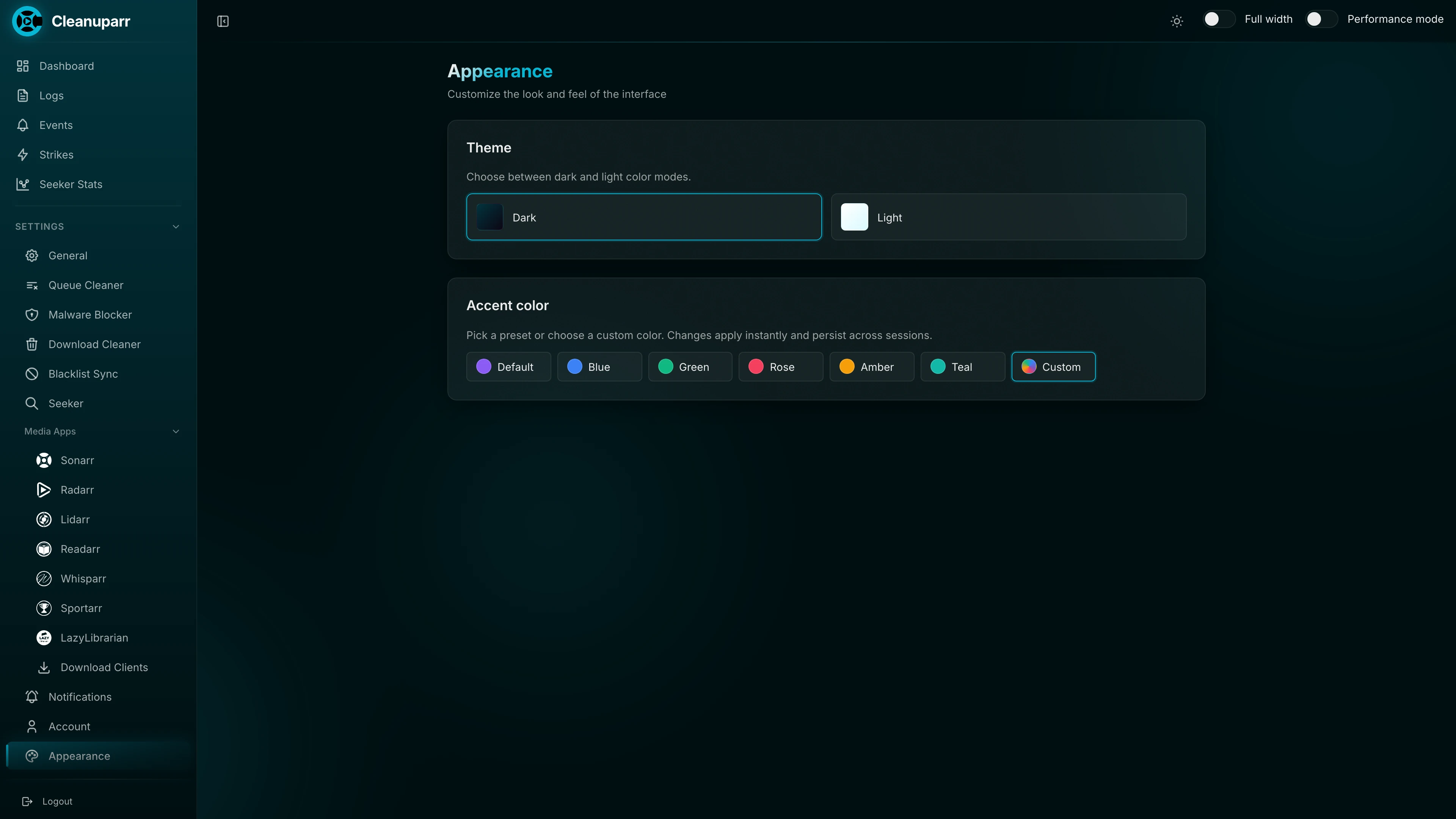
Appearance
Switch between dark and light themes and pick an accent color, from presets or any custom color.
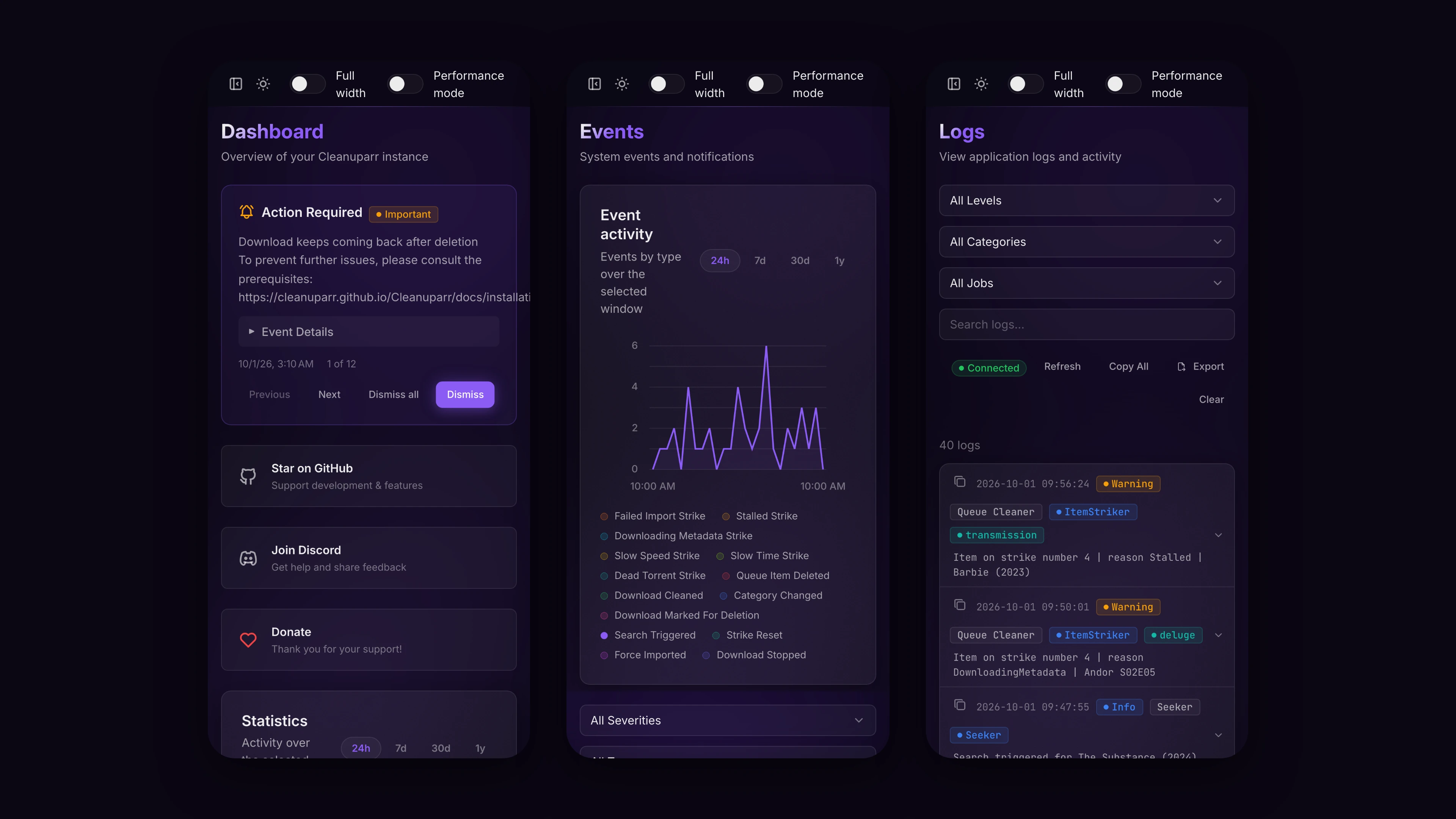
Mobile
The interface adapts to phone screens, so you can check on Cleanuparr from anywhere.